
How to register on the website / create account
1. If you want to register on the website, follow the link: https://www.craftorator.com/auth/register
There will be a registration form
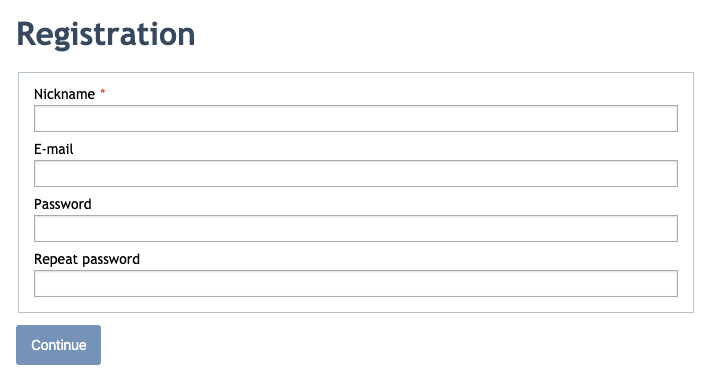
2. Fill in all the fields in the form:
- You need to create a nickname (nickname is your name on the site, pseudonym or your real name).
- State your valid email address (you will get the email with the link for your account confirmation on the website).
- Create the password for your account.
- Repeat the created password (you should type the password twice in order to avoid mistakes in typing).
Click the "Continue" button.
3. If you fill all the fields correctly, you will get the message, that your registration is successfully completed, and the email with your account activation link was sent to your email address.
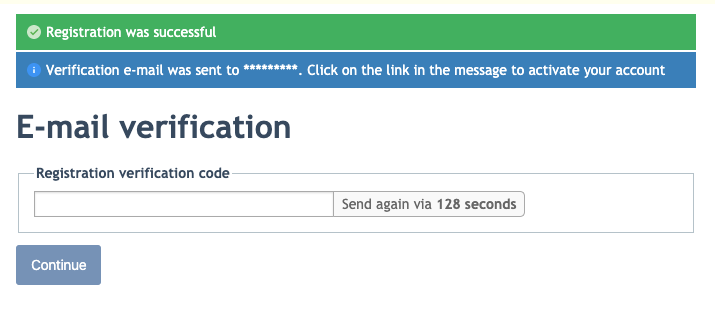
In order to activate your account, you need to open your email box, find the email "Confirmation of registration - Craftorator" and follow the link, stated in this email. Or you can copy the activation code, which the email contains and fill it in the form above
4. If you did everything correctly, you would get the message, that your account is activated.
